
- Click on Emails
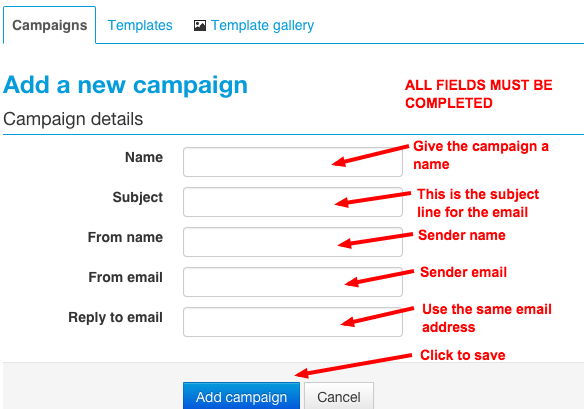
- Click on Add a campaign
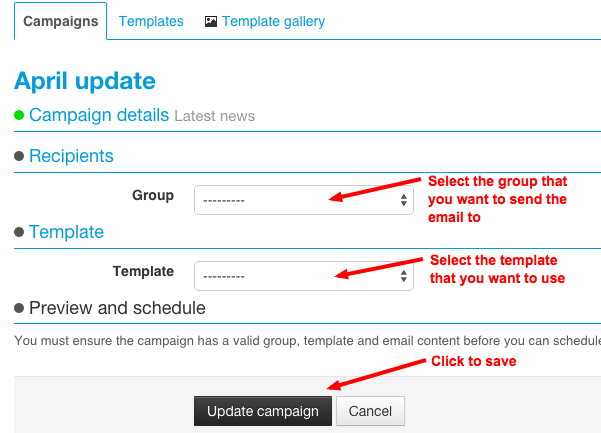
- Select the Group
- Select a template
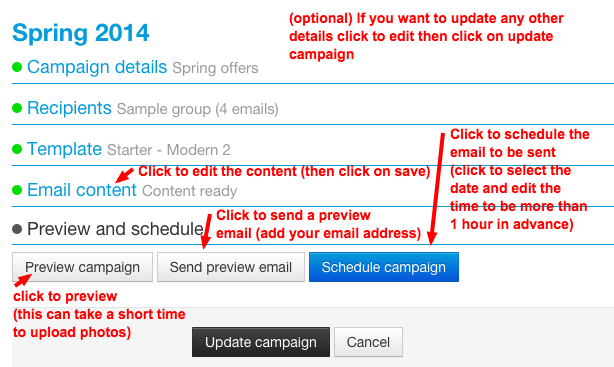
- Click update campaign
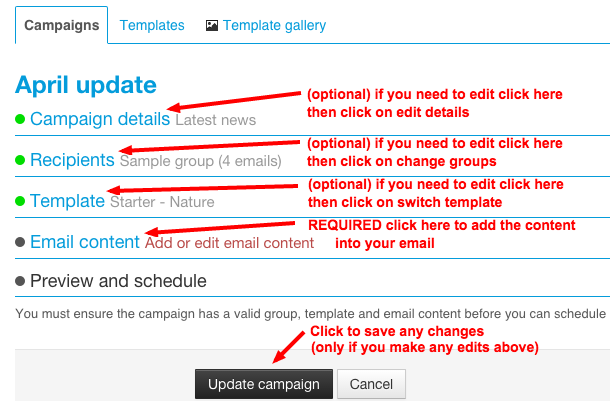
- Click on Email content
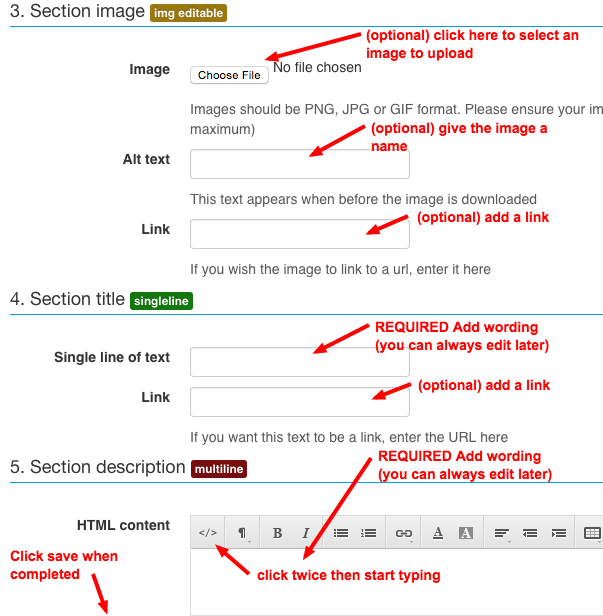
- Add the content
- Click on save
- If you want to edit click on email content
- Click on preview to see the email
- (optional) Click on send preview email
- Click on Schedule campaign
Comments