
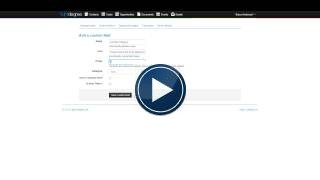
Contact custom fields
We have included as standard, fields in the contact section such as name and other basic contact details. If you would now like to add other custom fields specific to your business requirements, these can be created in contact custom fields. You can create the fields with names that you already use in your business
Enquiry custom fields
Custom fields can be added to enquiries. These will automatically appear on the web enquiry form used on your website. Typical custom fields might include, How did you hear about us? (this allows you to include the names of your sales or field team to make allocating the equiries easier) and Please select your enquiry type? (this makes it easier to allocate the enquiries according to the requirement).
Event custom fields
You can add custom fields to the events. These will automatically appear on the events web registration form and also in the attendee details.
Opportunities custom fields
You can also add custom fields in the opportunites module.
How to create a custom field (Admin users only)
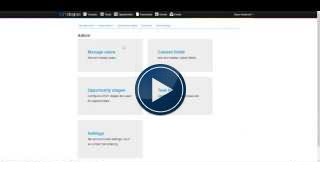
(Access from the Admin section (click on your name to expand the menu).
Select custom fields and select the module where you wnat to add the custom field.
Add a helpful hint so that other users will know how to use the fields.
Select the field type from the list - this is how the fields will operate;
* Text - Enter words and other text
* Float - A larger box to allow you to enter even more data
* Integer - Use for phone or other numbers
* Date - Enter dates
* True / False - Check box
* Client user - This will display the users you have in your system. Example, use to create an owner field (to select the person who is responsible for managing this contact)
* Multiple choice - Select Add a value to enter the name of the item you want on the drop down, then OK. Add as many names as required. If you wish to remove a selection uncheck the tick box.
Click on Save Custom Field.
You can edit the field name and the hint but once selected it is not possible to change the field type. (If you need to delete a field that you have created in error please raise a ticket (Submit a request or email support@lightdegree.com).
Examples of commonly used custom fields
Lead source - (How did they hear about us) (set as multiple choice)
Contact grade - (See setting up a pipeline) (set as multiple choice)
Type of service - (List the types of service / products that you sell) (set as multiple choice)
Contact representative - (This can be a list of the users in your system)
Industry type - (List the types of industries your contacts are involved in) (set as multiple choice)
Customer annual spend with us - (Another version of this is A, B or C contacts) (set as multiple choice)
On a maintenance contract with us - (This can be a simple yes / no or a list of the different levels of contract or service that you provide) (set as multiple choice)
Mailing period - (This is when you make contact with your customer example, if every 3 months one value might be Jan / Apr / July / Oct)


Comments